Uses the official Codex app and your own sign-ins.
Desktop app for Apple Silicon Macs
Check which package your machine needs
CLI runs on macOS, Windows, and Linux
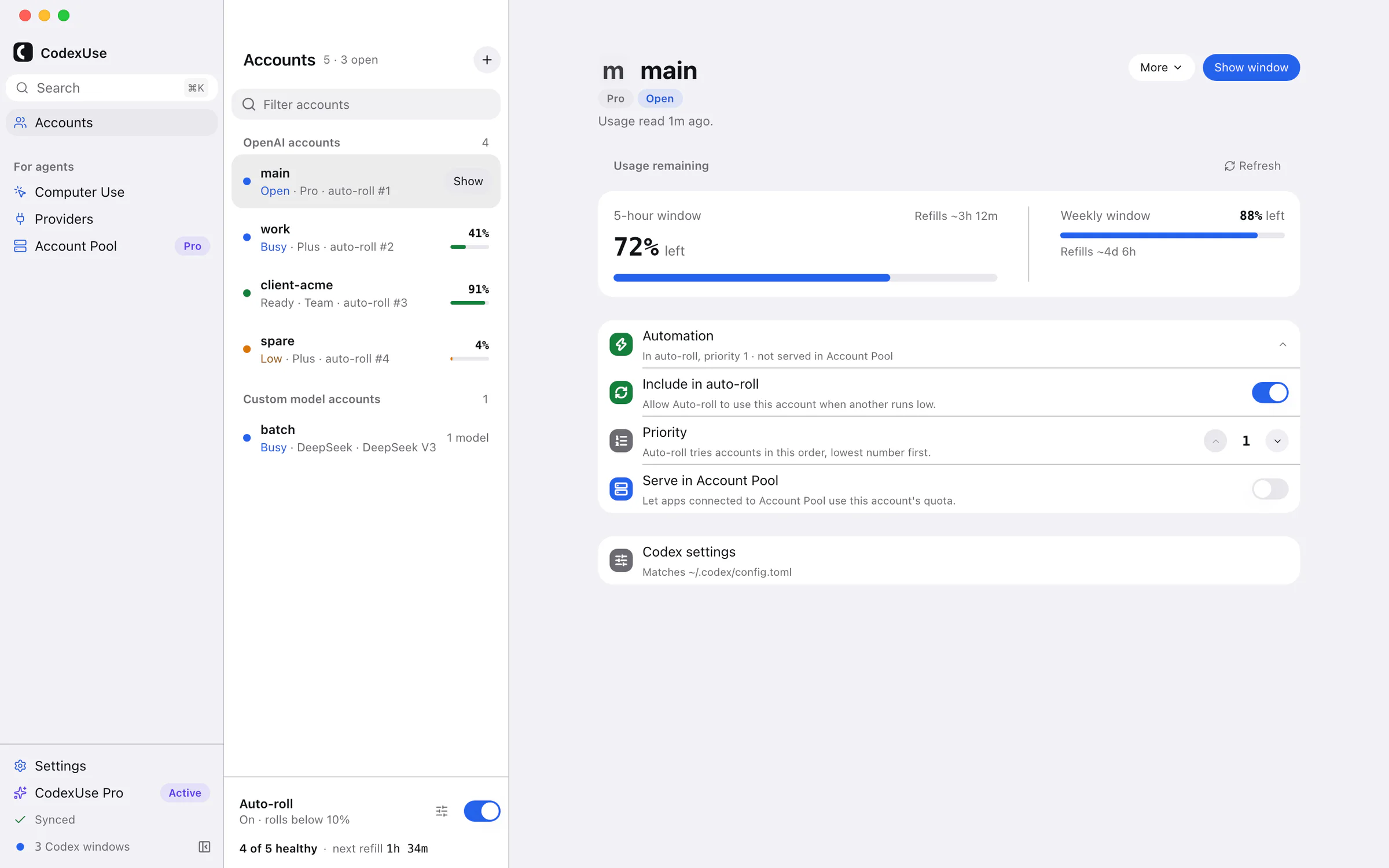
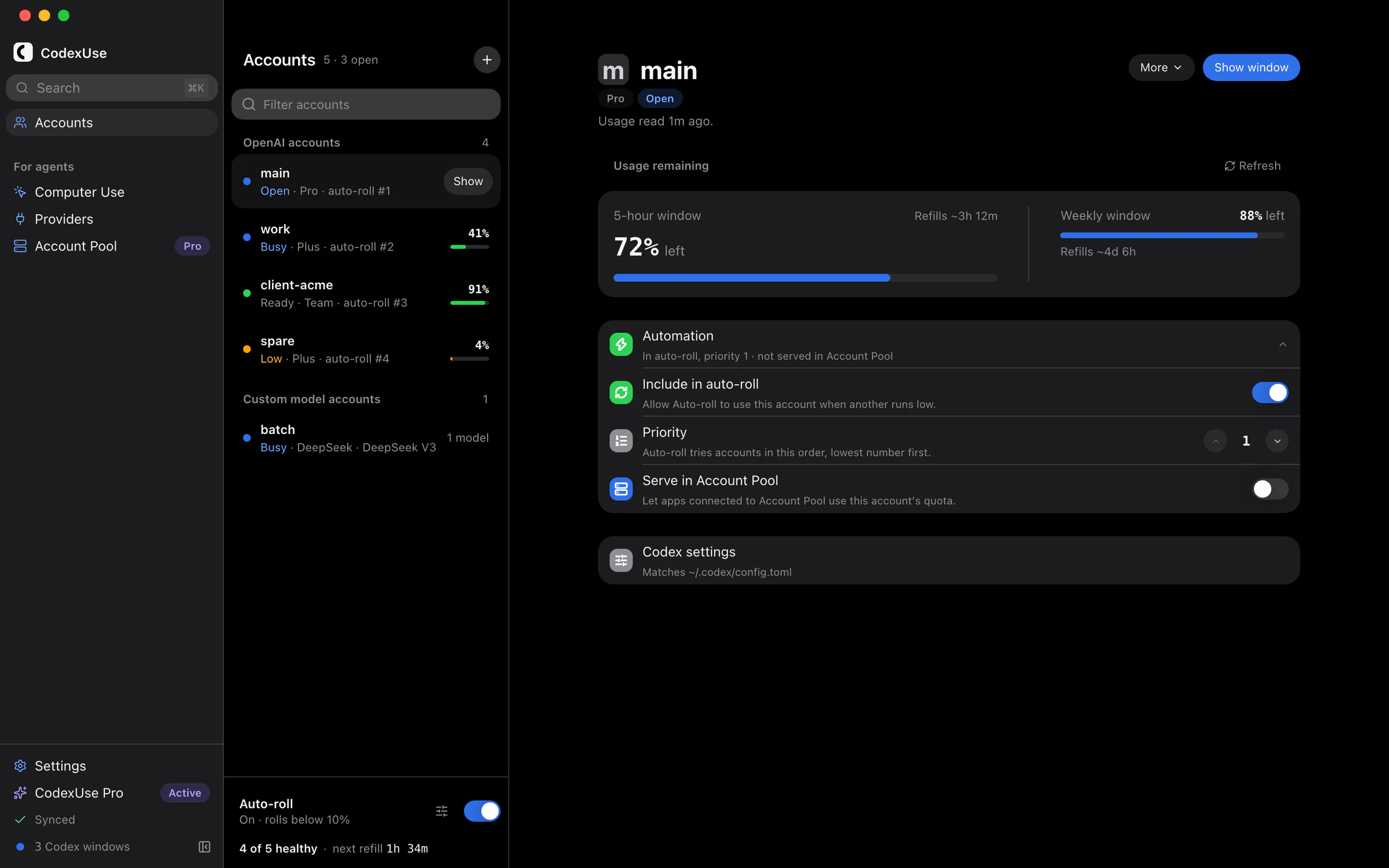
CodexUse · Accounts · example accounts · v7.2.0
One app for every kind of account
OpenAI accounts
OpenRouter
DeepSeek
Groq
Local models
The film · 37 s
Every account, side by side.
Accounts
Every account in its own home.
Each account keeps its own Codex home: sign-in, config, sessions, and logs. It also gets its own Codex window. Open starts it, Show brings it to the front, and no account signs another out.
Headroom before you start
See the usage windows and refill times Codex reports for each account. CodexUse can start refill timers automatically with a short background request; that does not add quota.
Auto-roll with guardrailsmacOS
Roll new work to the next account below a threshold you set, rejoin above another, and read why each roll happened.
One Codex config
Every account follows your ~/.codex/config.toml, and keeps what you change for that account alone.
Open
Busy
Ready
Low
Needs sign-in
Needs setup
For agents
Tools for your other agents and models.
Computer Use gives Claude Code, OpenCode, Cursor, and other coding agents the same Computer Use as ChatGPT and Codex. Providers lets you use models from OpenRouter, DeepSeek, Ollama, and other providers in the Codex app.
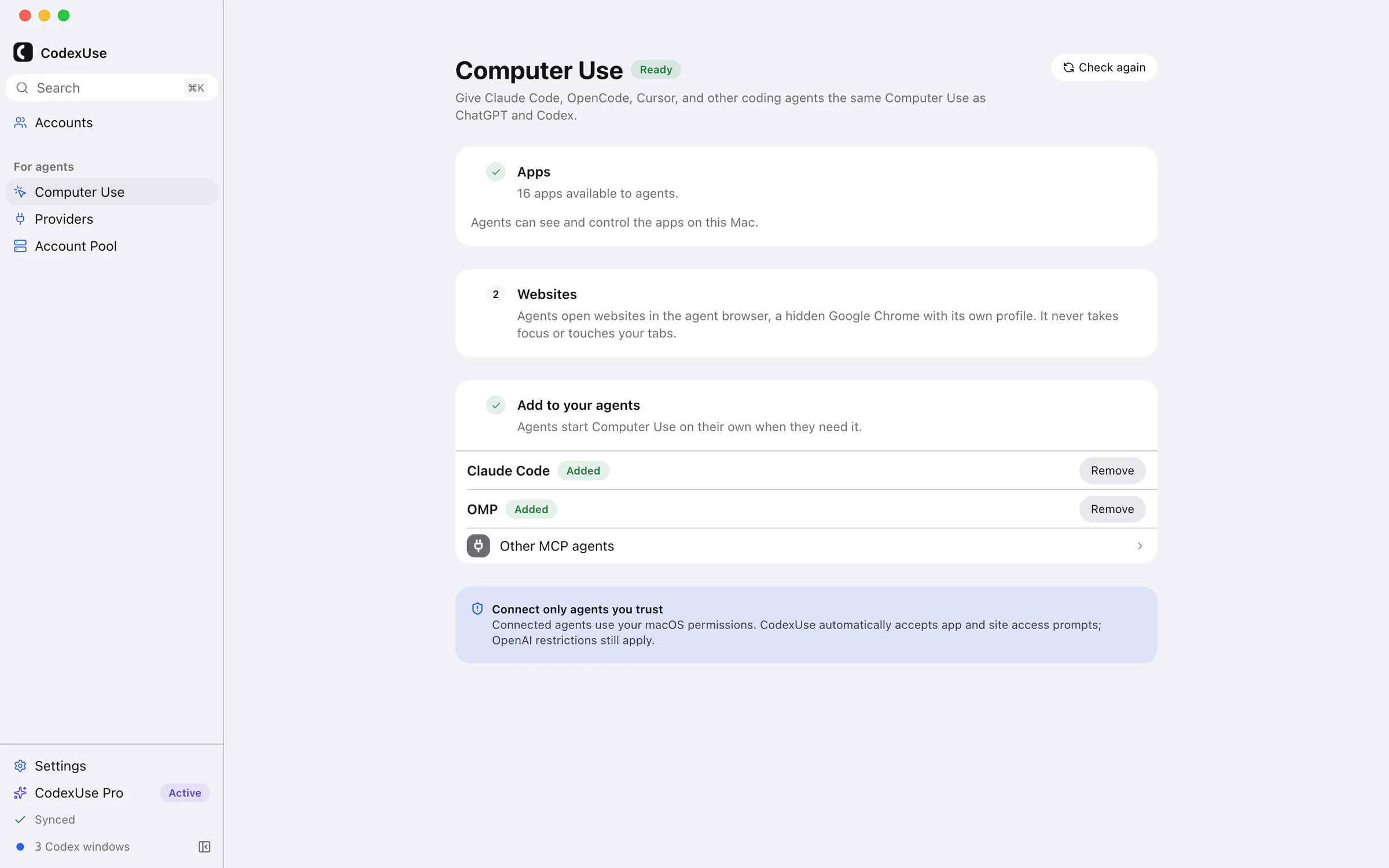
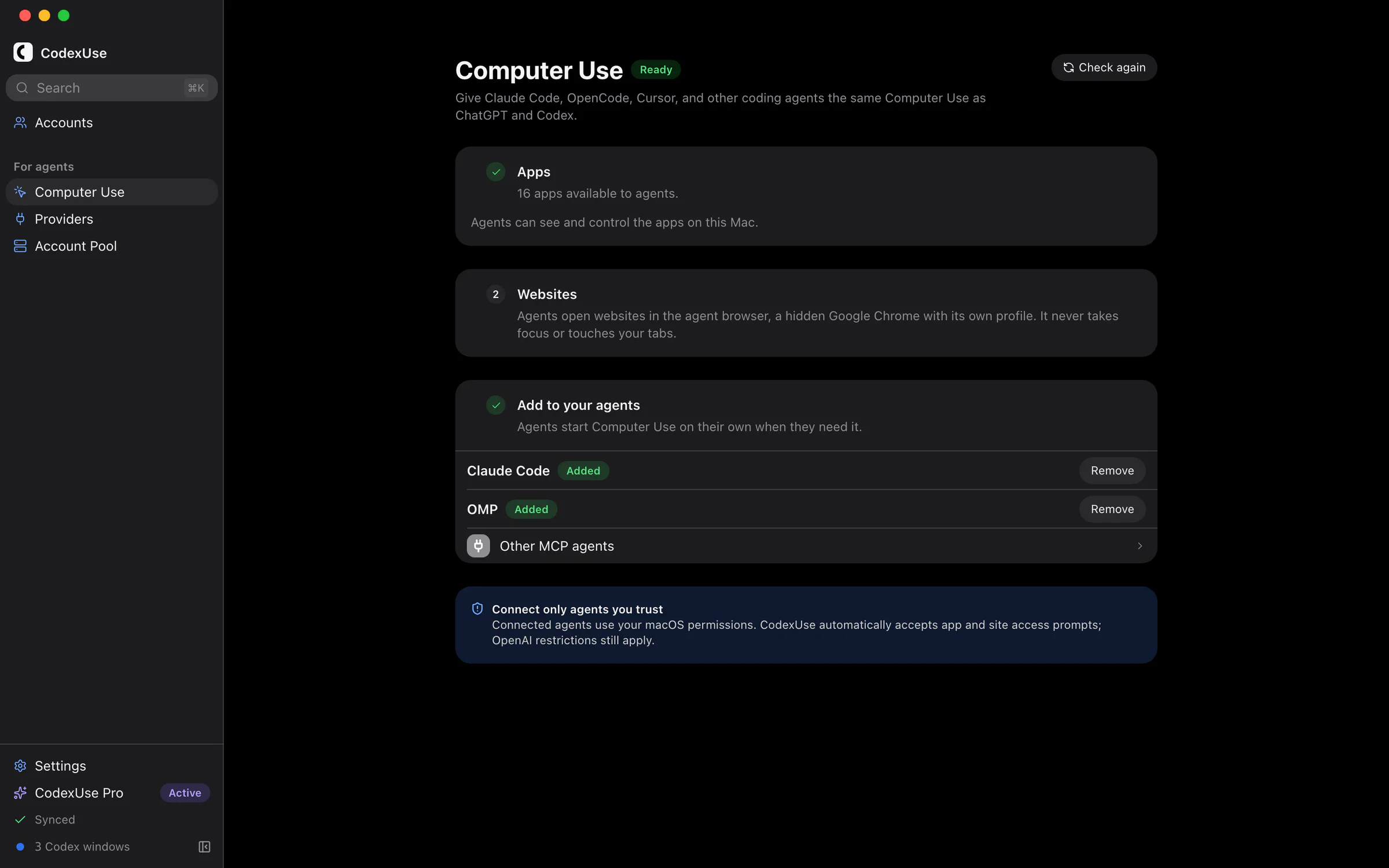
Computer UsemacOS
Claude Code, OpenCode, Cursor, and other coding agents can see and control the apps on your Mac through OpenAI's Computer Use runtime, and open websites in the agent browser, a hidden Google Chrome with its own profile that never takes focus or touches your tabs. Their own model decides every action, and CodexUse approves each app and site for them, so there are no approval prompts.
1Open CodexUse → Computer Use. Under Apps, CodexUse installs OpenAI's Computer Use runtime, copying it from ChatGPT or Codex Desktop when you have one.
2Under Websites, install Google Chrome for the agent browser, and import cookies from your browser so agents start signed in.
3Under Add to your agents, add Claude Code, OpenCode, Cursor, or another agent found on your Mac in one click, or copy the config for any other MCP agent.
This is not an official OpenAI integration. It runs OpenAI's desktop runtime, which can change with any OpenAI update. Agents act with your macOS permissions, so add the server only to agents you trust; you are responsible for how they use it.
Use models from OpenRouter, DeepSeek, Ollama, and other providers in the Codex app. A custom-model account points at a supported OpenAI Responses or Chat Completions endpoint, gets its own model list and Codex window, and spends no OpenAI quota. You pay the provider directly.
Reasoning effort comes from the model’s own metadata. CodexUse never guesses it from a model name.
The provider credential stays encrypted in CodexUse’s private app database.
The honest limit. There is no ChatGPT account behind a custom-model account, so dictation and browser control are unavailable on it. Chat, tool calls, and reasoning effort depend on the provider route and model capabilities.
The rest of the toolkit
macOS
Find task
Find a local Codex task from Accounts and open it in the account that owns it.
Direct to your provider
Model requests go from your computer to OpenAI or your provider. They do not pass through CodexUse servers.
Account Pool
Let other apps on this computer use the accounts you select through one local OpenAI-compatible endpoint. Each account's limits still apply.
The codexuse CLI
List accounts with their headroom, run Codex under a chosen account, and manage Account Pool from a terminal. The app adds it to your terminal from Settings, at the app’s version. Without the app, install it with npm on Node.js 22.13 or later.
npm install -g codexuse-cli
Pricing
7 days with everything. Then one payment.
The trial is the full app and takes no card. After it ends, features lock until you activate Pro. Nothing is deleted.
7-day full trial
One Codex window per account, side by side, with task search across accounts
Unlimited accounts, Auto-roll, headroom, and automatic refill timers
Computer Use for agents, and custom-model accounts: OpenRouter, DeepSeek, Groq, or a local model
Bought on the website? Enter the license key from your Gumroad receipt in CodexUse. Already own Pro? Activate your key in the app; do not buy again. 30-day refund after purchase.
Yes, on Apple Silicon macOS. Every OpenAI account and every custom-model account gets its own Codex window. Open starts that window; Show brings a running one to the front. CodexUse never opens a second window for the same account, and it never signs another account out to do it.
Will using multiple accounts get me banned?
CodexUse is for accounts you already hold: your personal login, an employer seat, separate client or contractor accounts. It signs in with the same OAuth flow the Codex CLI uses, keeps each account in its own window and Codex home, and never shares one subscription between people. It does not create accounts, bypass billing, or forge identities. Check your own plan terms before pooling quota for automated workloads.
Can I run a non-OpenAI model in the Codex app?
Yes. A custom-model account can point at any provider that exposes an OpenAI-compatible Responses or Chat Completions endpoint: OpenRouter, DeepSeek, Groq, or a model running on your own computer. CodexUse runs a local gateway on 127.0.0.1 that presents the Responses API to Codex and translates to the provider's shape. That account spends no OpenAI quota, keeps its credential encrypted in CodexUse's private app database, and shows only its own models in the picker. Dictation and browser control call ChatGPT's backend, so they are unavailable on it.
Is a custom provider cheaper than a ChatGPT plan?
Sometimes, and not automatically. You are trading a flat subscription for metered billing, so heavy use of a frontier model often costs more than the plan does. It usually wins when a cheaper model is good enough for most of your work, or when you already pay a provider and want the Codex app as the interface. Measure your own volume before deciding.
How is this different from the free account switchers?
Free tools swap ~/.codex/auth.json for the Codex CLI. CodexUse gives every account its own Codex window, finds local tasks across accounts, adds custom-model accounts, headroom and refill timers, auto-roll, and Account Pool. If you only need CLI account switching, a free tool is a reasonable choice.
Do I need API keys?
Not for OpenAI. CodexUse uses the same OAuth login as the Codex CLI, so you sign in with the account you already have. Two exceptions: a custom-model account needs that provider's own credential, which is encrypted in CodexUse's private app database and never written into config files; and Account Pool mints a separate local key for the app you point at it.
What is Account Pool?
Account Pool turns selected saved Codex accounts into one local API for another OpenAI-compatible app. That app gets one base URL and one key, while CodexUse shares quota across the selected accounts, load-balances new requests, and fails over when one account hits limits or runtime trouble. It runs on your machine and is not a hosted service.
How does auto-roll work?
Set a percent-left threshold, rank the eligible accounts if you want a specific order, and CodexUse rolls new work to the next account when the active one drops to that level. A rejoin threshold brings an account back once it refills, and a confirm countdown cancels stale decisions before they fire. Available during the trial and unlocked with Pro.
Which computers does CodexUse run on?
CodexUse is built for Apple Silicon Macs, where every feature works. It also runs on Windows 11 x64 and Ubuntu 24.04 on x64 and arm64 with fewer features: one Codex window per account, Auto-roll, Find task, and Computer Use need macOS, because they drive OpenAI's Codex app or Mac apps. On Windows and Linux you keep saved accounts with their own Codex homes for the Codex CLI, headroom and refill timers, custom-model accounts, and Account Pool. Intel Macs are not supported, and automatic updates are off on Windows.
What is Computer Use for agents?
It lets Claude Code, OMP, and other MCP agents control Mac apps with OpenAI's Computer Use runtime, and open websites in CodexUse's agent browser: Google Chrome with its own profile, running in the background, with cookies you can import from your browser. The agent's own model decides every action; CodexUse does not send prompts to a Codex model. CodexUse approves each app and site the agent asks to use, so there are no approval prompts; add the server only to agents you trust. CodexUse → Computer Use installs the runtime, copying it from ChatGPT or Codex Desktop when one is installed, and adds the server to Claude Code or OMP. It needs Apple Silicon macOS, and Google Chrome for websites. This is not an official OpenAI integration, the runtime can change with any OpenAI update, and you are responsible for how agents use it.
What do I get if I buy instead of starting the trial?
The same app. Pro is a one-time lifetime license for up to 5 computers, with free updates and no subscription. It keeps every feature unlocked after the trial. If you buy on the website, enter the license key from your Gumroad receipt in CodexUse. App-initiated checkout watches for payment confirmation; manual key activation remains available. There is a 30-day refund window.
Start with the accounts you already have.
Install CodexUse on your Mac and add your accounts. Each one gets its own Codex window, and you can see which one has headroom before you start.